
GET STARTED
Your first session
starts here.
Get your PC and console ready. These four steps will take you through your first run.
Before you start
Use a Windows 10 / 11 64-bit PC, with your console and NBA27 ready. Make sure the game runs on the console and your network connection is stable. Current modes require the in-game language to be Chinese. The AFKGo interface can independently use Chinese or English.
Download and install
Select Download for Windows to download the installer directly.
- When the download finishes, open the Windows 64-bit installer (.exe) and follow the installation steps.
- Launch AFKGo after installation. If upgrading, stop tasks, disconnect the stream and close all other AFKGo windows first.
- You can switch the app language in Settings & help. Save your settings to apply the change.
Connect your console
Make sure you can see the game before starting a task.
- Open Console & connection, select your platform and follow the app’s pairing instructions.
- After connecting, check that the Video indicator turns green. Open the stream view to check the picture.
- If no picture arrives, check your console and network. Wait for the stream to recover before continuing.
Choose a mode
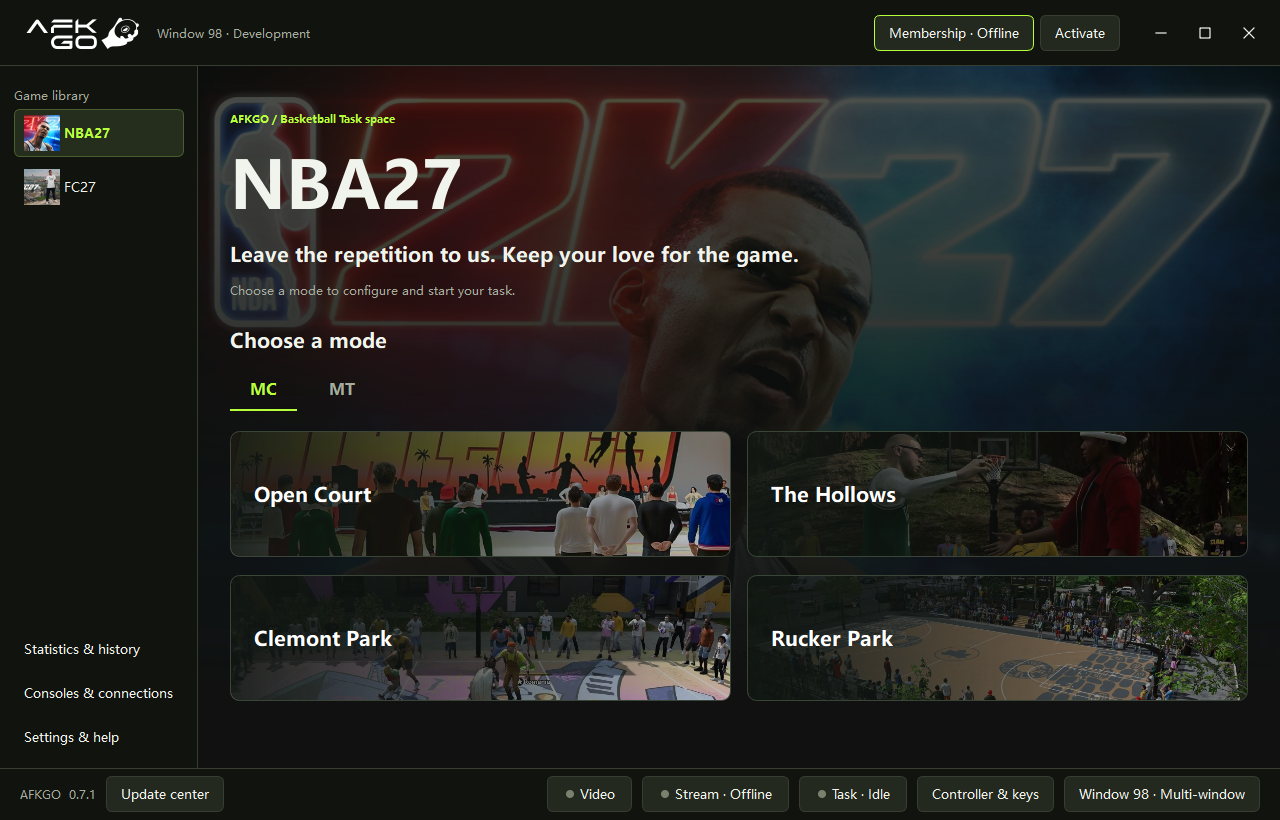
Open NBA27 → MC and select a supported court.
- Open Court, The Hollows, Clemont Park and Rucker Park are available. FC27 and MT are not available yet.
- Read the selected mode’s gameplay guide and move your character to the required starting position.
- On your first run, choose automatic setup when prompted and check that your game settings match the guide.
- Adjust offense, defense and shot timing as needed. MC modes require an active membership for the current window.
Start your task
Check the picture and settings, then select Start task.
- Check task status, match count and statistics in the workspace. Select Stop task when you want to finish.
- Configure breaks in Settings & help. All modes in the same window share these settings; save them to apply changes.
- If a task stops unexpectedly, read the app’s message first. Use feedback in Settings & help if you need assistance. Never share pairing codes or account details publicly.
Need a hand?
Send feedback from Settings & help in the app. Tell us what happened and what you were doing so we can investigate.
READY WHEN YOU ARE
Make the next game a little easier.
Let AFKGo take care of the repetition. Keep your time for what you enjoy.
Download for WindowsWindows 10 / 11 · 64-bit